You cannot unlink an itinerary, however, we do have a work around if you want to remove all linked bookings.
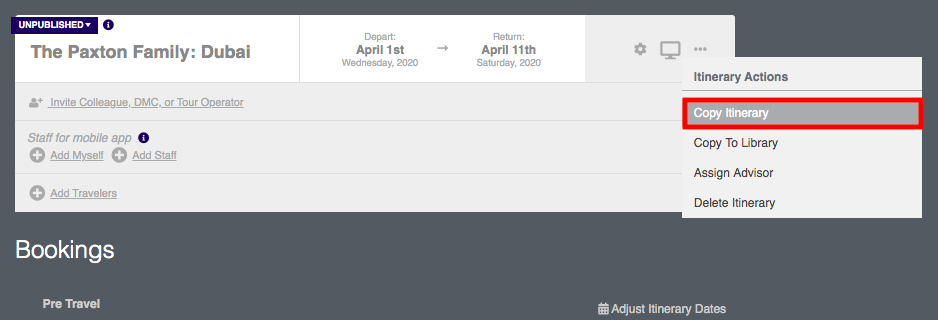
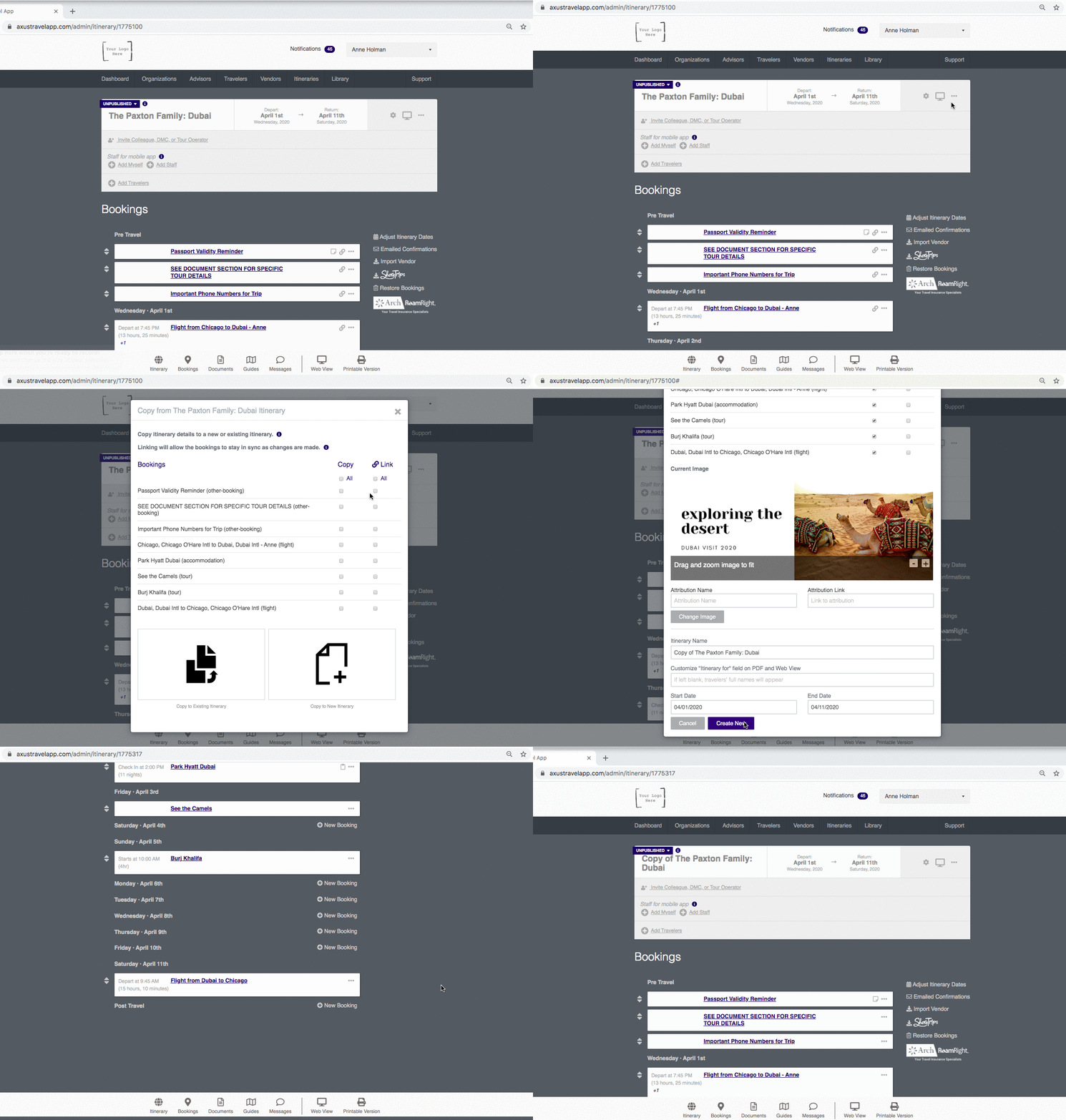
Go to the title box of the itinerary and hover over the 3 dots (far right).
Choose the COPY ITINERARY option.
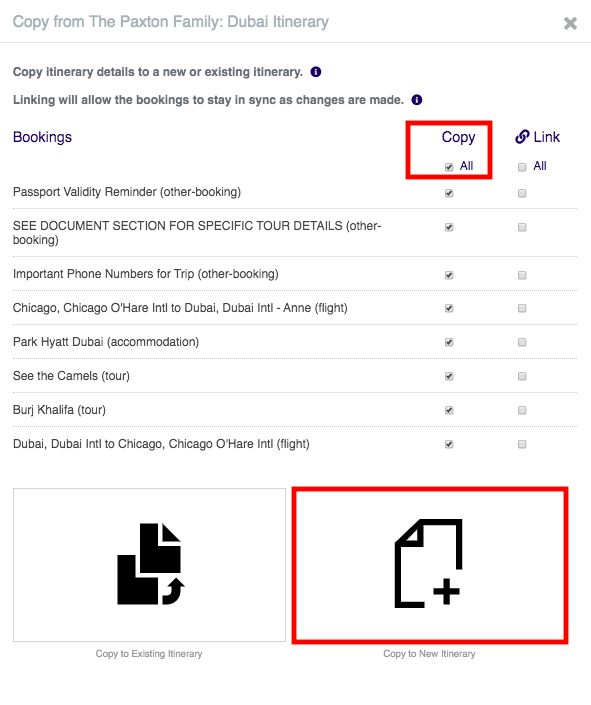
Click the the box next to ALL under the COPY column.
Do not click any boxes in the Link column.
Choose the COPY TO NEW ITINERARY option.
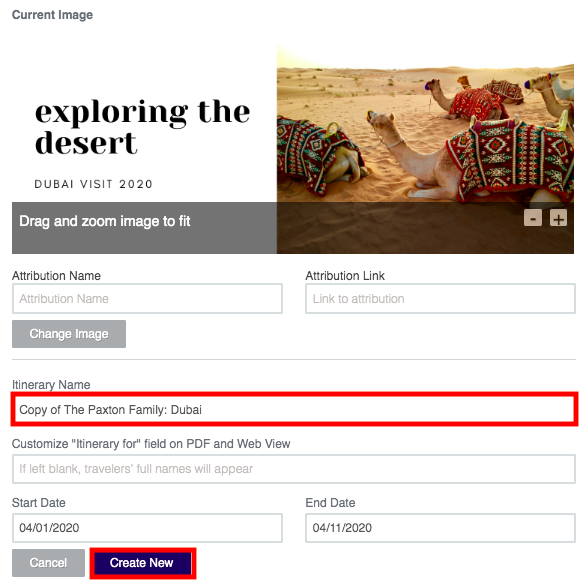
If you'd like, rename your copied itinerary.
For Example write, THE PAXTON FAMILY: DUBAI - NO LINKS
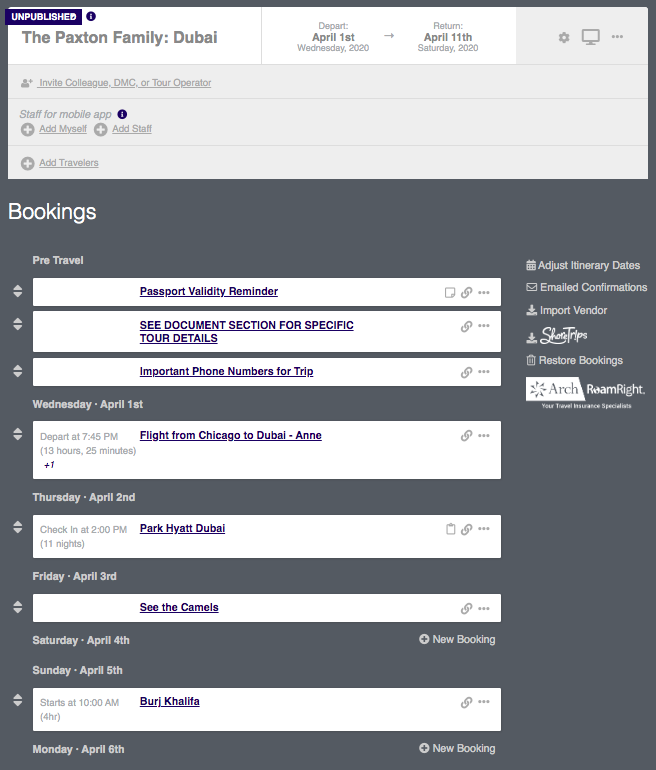
The copied itinerary will show up without any linked bookings.
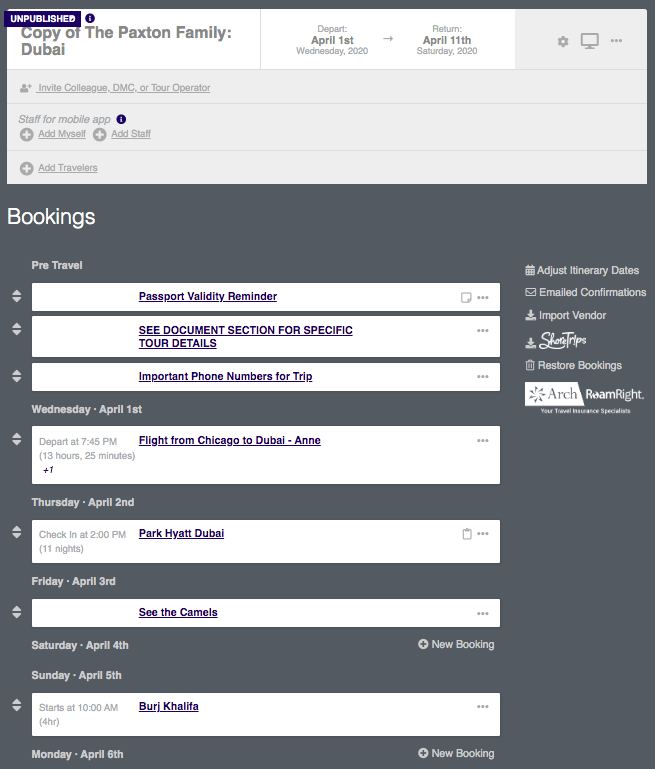
Watch the process below...
To get rid of the original linked itinerary...
Go to the title box of that itinerary and hover over the 3 dots (far right).
Choose the DELETE ITINERARY option.
0 Comments